Weather & News : Radar, Alerts
- 3.6
- Rating
- 50.00K
- Installs
- Free
- Price
 Analysis by App-foxy
Weather & News - Radar, Alerts is the kind of app I would open when I need a quick answer to two questions: what is happening outside, and what is happening nearby. It combines weather information with local news in one place, which makes it more practical than switching between a standalone forecast app and a separate news reader. I found the idea especially useful during busy mornings, when I wanted a fast sense of the day before leaving home.
This is a free app in the News & Magazines category, developed by Doomob Labs. Its focus is straightforward: live weather forecasts, radar alerts, and breaking local news. The app has an average rating of 4.1 from around eleven ratings, with four written reviews, and it has passed ten thousand installs. Those figures suggest a small but active user base rather than a long-established platform, so I approached it as a focused utility that is still finding its place.
My overall impression is positive, with one important qualification: this is most useful when you value convenience and local awareness more than deep customization. If you want a highly detailed meteorological tool, a large international news network, or a mature alert system with years of refinement, a specialized alternative may suit you better. If you want one lightweight starting point for weather and nearby headlines, it makes a sensible case for itself.
You May Also Like

 Pandora - Music & Podcasts
Pandora’s Music Is Easy to Start, but Harder to Recover
Pandora’s strength is its low-effort path from a seed to a station. Its weak spot is how much confidence it asks you to place in connection, setup, and quiet recovery.

 8 Ball Pool
 Is Built on Rivalries, Rematches, and Routine
A close look at the rivalries, rematches, shared routines, and unanswered safety questions that turn a quick pool match into a persistent mobile community.

 Samsung Music
’s Quiet Strength Is Playing What You Already Own
Its reach comes less from spectacle than from dependable access to a personal library. That simplicity is both the app’s strongest retention engine and its ceiling.

 AccuWeather: Weather Radar
AccuWeather Review: A Quick, Clear Forecast for Everyday Decisions
For everyday plans, the best forecast is the one you can understand quickly. AccuWeather makes rain timing, radar, and local conditions easy to act on, with a few trade-offs.

 Hill Climb Racing
Why Hill Climb Racing Still Turns Crashes Into One More Run
A tiny car, a bumpy hill and one more upgrade: Hill Climb Racing keeps resurfacing because its simple chaos makes every near-miss feel personal.

 AliExpress - Shopping App
AliExpress Makes Global Shopping Feel Personal, but Shoppers Bear the Risk
AliExpress turns a global marketplace into a pocket-sized discovery engine. Its reach is useful, its shopping loop compelling, and its trade-offs easy to miss.
More From Our News Desk
View All News


Getting from installation to a useful first check
I find the first check works best when I treat setup as a small bit of planning, not just a quick install: I choose the area that matters to my day, then see whether the forecast and nearby headlines help with one real decision. That gives me a fair sense of the app’s usefulness before I build it into a routine.
What the app is really trying to do
The strongest part of the concept is the connection between weather and local events. A forecast tells me whether I should carry an umbrella, delay a trip, or dress for colder conditions. Local news adds context: road problems, community events, service interruptions, and other developments can change how I plan the same day. Keeping both types of information together reduces the small amount of friction that often makes people ignore one of them.
I would not treat the app as a replacement for every source I use. Instead, I see it as a first-look dashboard. It is good for opening the day, checking conditions before commuting, and scanning for something important nearby. Once a story or weather situation becomes serious, I may still want an official source or a more specialized service. That distinction matters because the app’s value is in bringing relevant information together, not in pretending that one screen can answer every possible question.
The presentation also makes sense for first-time users. The store short description is simply “Weather & News,” and that plain wording matches the product’s purpose. There is no complicated promise to decode. You install it expecting two kinds of information, and that is what the experience is built around.
What happens when you open it for the first time
After installing, I recommend taking a moment to establish the location or area you actually care about rather than immediately browsing everything available. A weather application becomes much more useful when its first screen reflects your home, workplace, or regular travel area. For news, the same principle applies: local relevance is more valuable than a long stream of headlines that could come from anywhere.
The app runs on Android versions starting with 7.0, which covers a broad range of devices. That is helpful if you are using an older phone and do not want to replace a working device just to access a current weather-and-news utility. The current version is 1.0.15, so I would keep expectations realistic about polish. It feels like an app whose central workflow should be easy to understand, while some finer details may depend on how the service develops.
For a first setup, I would use this simple routine:
Open the app and identify the location that matters most to your daily routine.
Look at the forecast before exploring the news feed, so you understand where the weather information is presented.
Scan the local headlines and decide which subjects are genuinely useful to you.
Check the radar or alert area when the forecast suggests changing conditions rather than treating it as something you need to watch constantly.
This order avoids a common beginner mistake: judging the app by the number of headlines visible before making the weather view personally relevant. The first meaningful success is not reading every story. It is opening the app, recognizing your area, and finding an answer that helps with a real decision.
The first useful action I would try
My recommended first test is a short morning check. Before leaving, I would look at the immediate forecast, inspect the radar when rain or storms appear possible, and then read the local headlines for anything that could affect the route or destination. This takes less effort than opening separate services and creates a clear reason to return to the app.
Imagine preparing for work while dark clouds are moving across the area. A normal forecast may tell you that rain is likely, but the radar view can help you understand whether the weather seems close or still developing. The local news section may then reveal a nearby road issue or another event that changes your plan. I would not make a safety-critical decision from a single consumer app, but this combined check is a useful way to notice that a routine journey deserves a second look.
Another practical use is planning an evening. I can check whether outdoor conditions look comfortable, then scan local stories for events, closures, or community information. The advantage is not that the app knows my schedule; it is that I do not need to remember which separate tools to consult before making a simple plan.
The best first success is a decision, not a long browsing session. If the app helps me choose a jacket, adjust a trip, or notice a relevant local story in under a few minutes, it has already earned a place on my phone.
Understanding radar and alerts without overreading them
Radar is most useful as a visual aid for changing conditions. I use it to add context to a forecast, especially when the weather may shift during a journey. I would avoid treating every colored patch as a precise promise about what will happen at my exact address. Weather displays are helpful for timing and awareness, but they are not a substitute for official emergency guidance.
Alerts deserve the same measured approach. They can help surface important changes, but I would still read the underlying information before acting. A notification is a prompt to investigate, not the whole story. This is particularly important when a headline or weather warning could affect travel, outdoor work, children, or vulnerable people.
A useful habit is to compare the app’s alert with the actual conditions outside and with official local announcements when the situation is serious. That does not make the app less valuable. It places it in the right role: a convenient early signal that helps me decide whether I need more detail.
Common points of confusion for new users
The first likely confusion is expecting the news feed to behave like a full newspaper. The app’s purpose is local awareness, so I would judge it by whether the stories are relevant to my area and immediate interests, not by whether it offers the same breadth as a major national news application. A smaller, more focused feed can be an advantage when I only have a few minutes.
The second is assuming that weather and news will always have equal importance on the screen. In practice, my attention changes with the day. On a calm morning, the forecast may be enough. During severe weather or a local disruption, the news side becomes more valuable. I would use the two sections according to the situation rather than expecting a fixed balance.
The third is confusing “live” information with perfect immediacy. Weather conditions develop, and news stories can change after an initial report. I would refresh my understanding when making an important plan instead of relying on something I saw hours earlier. This is a small habit, but it prevents a convenient app from creating false confidence.
There is also a practical trade-off around the free model. The app is free to download and use as its basic product, while in-app purchases range from $1.99 to $19.99 per item. I would explore the core experience first and only consider a purchase if it clearly improves the way I use the app. Someone who dislikes optional spending inside utilities should pay attention to what is presented during use and decide whether the free experience is sufficient.
Who will benefit most from this combination
I think the app suits people who want a quick local briefing rather than a specialist instrument. Commuters can use it before leaving, parents can check conditions before arranging outdoor activities, and anyone who follows nearby developments can avoid opening several separate apps. It may also appeal to users with older Android phones because the minimum operating system is 7.0.
It is particularly convenient for people who do not want to build a complicated information routine. Instead of checking a weather service, then a local news app, then a radar tool, I can begin with one place. That does not eliminate the need for other sources, but it makes the first step easier, which is often the difference between staying informed and forgetting to check.
I would be more cautious recommending it to someone who needs professional weather analysis, highly granular forecasts, extensive historical data, or a deeply personalized news-reading system. A dedicated weather service will usually be the better choice for technical detail, while a major news platform may offer broader reporting and more mature discovery tools. The combined design is its strength, but it also means neither side should be judged as though it were the only product in its category.
Small habits that make the app more useful
My first tip is to check the radar only when the forecast gives you a reason. Constantly watching it can turn a simple utility into a distraction. If rain, storms, or a rapidly changing sky are relevant to your plans, radar adds value. On an ordinary day, the basic forecast and a quick headline scan may be enough.
My second tip is to use local news as context for weather rather than as a completely separate feed. When conditions are disruptive, look for stories that explain what those conditions mean for the community. This can reveal practical information that a temperature reading alone cannot provide. The trade-off is that local coverage may feel narrower than a general news reader, but that narrowness is also what keeps the check manageable.
My third tip is to create a repeatable two-minute routine. I would open the app at the same points in the day when weather affects my decisions: before commuting, before collecting children, or before an outdoor appointment. The app becomes more useful when connected to a decision I already make, rather than when I open it without a purpose and scroll until something catches my eye.
A fourth insight is to separate convenience from authority. The app is excellent as a starting point because it puts forecasts, radar alerts, and local headlines together. For emergencies, official warnings and local authorities should take priority. Keeping that boundary clear lets me enjoy the convenience without expecting the app to carry responsibilities it was not designed to carry.
How it compares with the usual alternatives
Compared with a standalone weather app, Weather & News - Radar, Alerts is less about exhaustive weather detail and more about combining weather awareness with local context. A dedicated alternative may be better if I want to study forecast changes, compare several locations, or examine weather for a specialized activity. This app is better when I want the forecast to sit beside nearby information without extra switching.
Compared with a general news reader, it takes a more immediate, place-based approach. A broad news app may give me more national and international coverage, while this one is more appealing when I care about what is happening around me today. The choice depends on whether location or breadth is the priority.
Compared with using separate weather and news apps, the main benefit is reduced friction. I can begin in one interface and decide whether I need to go deeper elsewhere. The limitation is that a combined app may not satisfy users who want the most advanced tools from both categories. I consider that a fair trade: convenience for people who want a fast briefing, specialization for people who need maximum depth.
What I would like first-time users to know
The app is free, rated Everyone, and therefore positioned as an accessible everyday utility rather than a specialist product for a narrow audience. Its 4.1 average rating and modest install history make me view it as promising but not yet as proven as the biggest names in weather or news. I would install it, test the daily workflow, and decide based on whether the local information is genuinely useful in my area.
I would also give it several ordinary checks instead of forming an opinion from one opening. Weather usefulness changes with conditions, and local news relevance depends on the day. Try it during a normal morning, a rainy commute, and a day when local events matter. That range will tell you more than simply counting how many screens or headlines appear.
If notifications or alert behavior feel too intrusive, I would adjust my routine rather than abandoning the whole concept immediately. The ideal level of interruption is personal: some people want to know about changes as soon as possible, while others prefer opening the app manually. The important question is whether the information helps without taking over attention.
My recommendation after using the full workflow
I recommend Weather & News - Radar, Alerts to anyone who wants a simple local briefing and prefers one starting point over several specialized apps. Doomob Labs has built the experience around a practical pairing: weather for immediate planning and news for local context. That pairing feels most convincing when I use it briefly and purposefully, especially before travel or outdoor plans.
I would skip it if my main requirement is expert-level weather detail, comprehensive global reporting, or a completely mature ecosystem of customization. In those cases, dedicated alternatives will probably be more satisfying. I would also avoid making it my only source during serious weather events; its alerts are useful prompts, but important decisions deserve official information too.
For a first-time user, the path is reassuringly clear: install it, set your relevant area, check the forecast, use radar when conditions are changing, and scan local headlines for practical context. The free entry point makes that trial easy, while the optional purchases mean I can decide later whether extra value justifies spending. After that first successful morning check, the app’s role becomes clear. It is not trying to replace every tool on my phone. It is trying to make the first, most useful check quicker.
That is why I would keep it as a convenient daily option. Its real strength is the handoff between “What will the weather do?” and “What does that mean locally?” When that is the question I need answered, this app is a sensible companion.
FAQs for Weather & News : Radar, Alerts
01What features does Weather & News - Radar, Alerts offer?
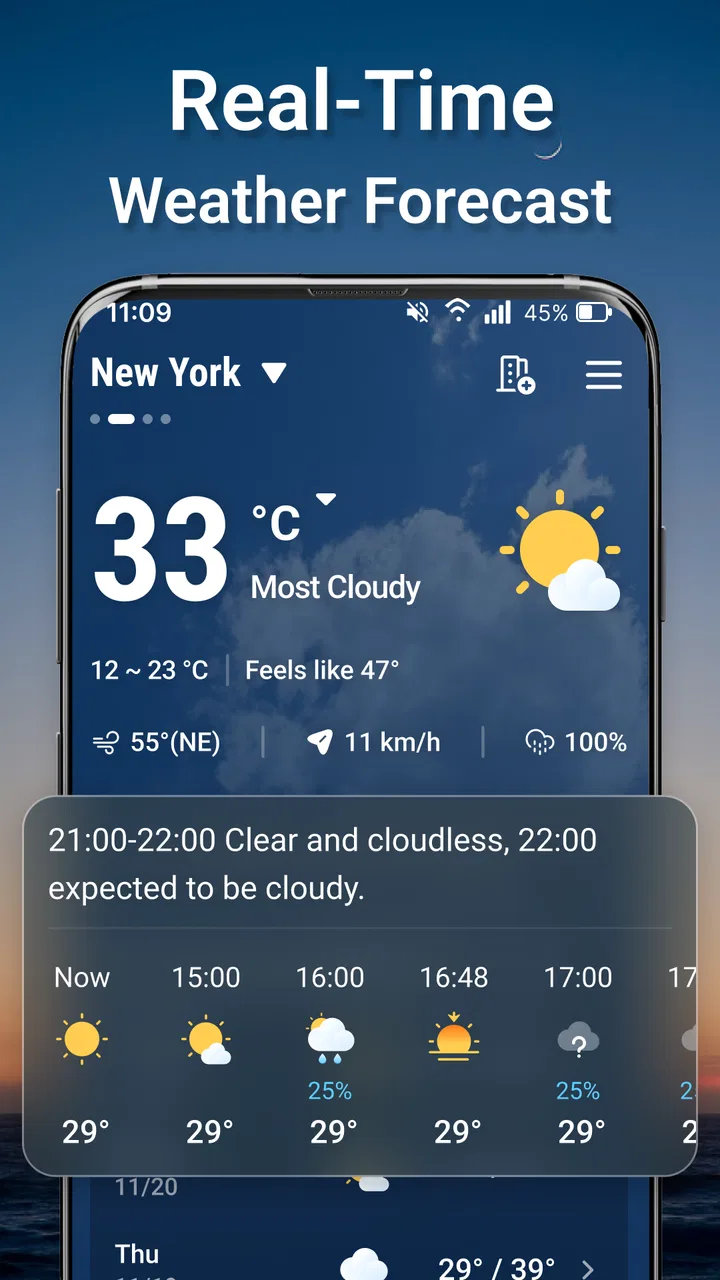
Weather & News - Radar, Alerts provides real-time weather updates, interactive radar maps, and customizable alerts for severe weather conditions. It also includes a news section covering local and international events. The app offers detailed forecasts, including temperature, humidity, wind speed, and hourly updates. Users can personalize notifications based on their location and preferences.
02Is Weather & News - Radar, Alerts available for both Android and iOS?
Yes, Weather & News - Radar, Alerts is available for download on both Android and iOS platforms. Users can find the app on the Google Play Store for Android devices and the Apple App Store for iOS devices. This ensures a wide reach and compatibility with most smartphones and tablets.
03Does Weather & News - Radar, Alerts require an internet connection?
An internet connection is required for Weather & News - Radar, Alerts to provide real-time updates, radar images, and news content. However, once data is downloaded, some features like saved forecasts and alerts may be accessible offline. For the best experience, a stable internet connection is recommended.
04Are there any in-app purchases or subscriptions in Weather & News - Radar, Alerts?
Weather & News - Radar, Alerts offers optional in-app purchases and subscription plans. These may include ad-free experiences, advanced radar features, and extended forecast details. While the app is free to download, these premium features enhance the user experience and provide more in-depth information.
05How accurate is the weather data provided by Weather & News - Radar, Alerts?
Weather & News - Radar, Alerts sources its data from reliable meteorological organizations, ensuring a high level of accuracy. The app uses advanced algorithms to provide precise forecasts and timely alerts. While no weather app can guarantee 100% accuracy, users can expect reliable information for daily planning.
Pros
- Intuitive user interface design.
- Comprehensive weather radar features.
- Real-time news updates integration.
- Customizable alerts for severe weather.
- Supports multiple locations tracking.
Cons
- Ads can be intrusive at times.
- Some features require premium access.
- Occasional delay in news updates.
- Battery consumption can be high.
- Limited offline functionality.

Weather & News : Radar, Alerts
Gallery